
Choose Your Desired Option(s)
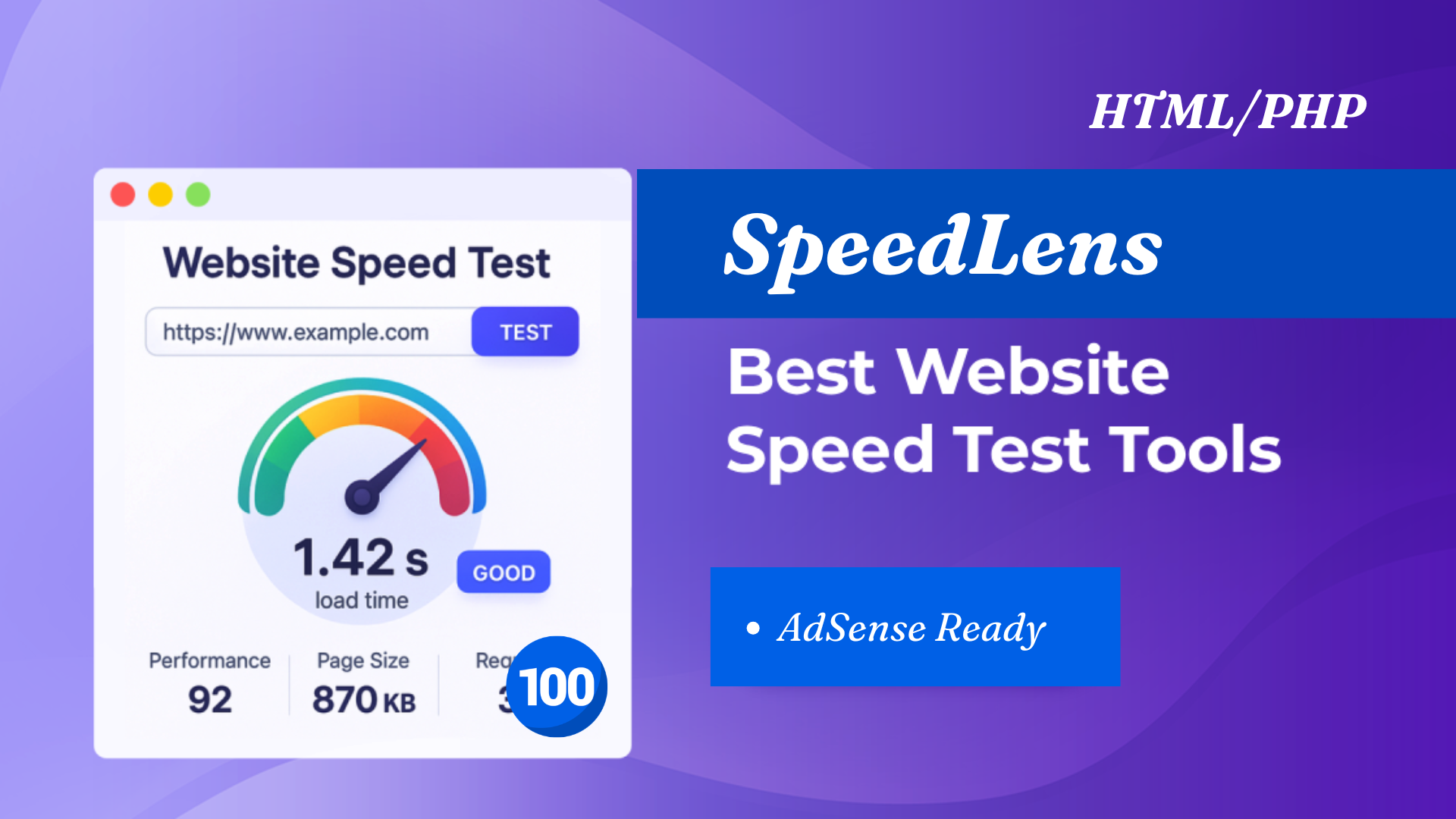
In today’s fast-paced digital landscape, a slow-loading website can cripple your business growth. With Google prioritizing user experience as a crucial ranking factor, using a comprehensive Website Speed Test Tool has never been more important. This is where SpeedLens – Website Speed Test & Core Web Vitals Analyzer Script steps in, offering a transformative approach to performance monitoring.
This comprehensive 2500-word guide will explore how SpeedLens serves as an all-in-one solution for web developers, SEO specialists, and site owners alike. We’ll dive into the importance of Core Web Vitals, compare different testing methodologies, and illustrate why SpeedLens is the superior choice for boosting your SEO and user experience.
Understanding the Need for a Robust Website Speed Test Tool
The Digital Attention Span
User expectations have never been higher. Studies show that users will abandon a site that takes more than a few seconds to load. The chance of a visitor bouncing increases exponentially with every second of delay. To retain visitors and drive conversions, your site needs to be lightning-fast.
Google’s Ranking Signal: Core Web Vitals
Google has explicitly integrated page experience into its ranking algorithms. This isn’t just about user convenience; it’s about user retention. Google’s Core Web Vitals are the key metrics that determine a page’s user experience . A slow site will be penalized in Search Engine Results Pages (SERPs), making it harder for potential customers to find you.
The Need for Comprehensive Analysis
A basic speed test that returns a single number is insufficient. A professional Website Speed Test Tool like SpeedLens provides a deep dive into the “why” behind the page speed. This includes:
- Performance Scores (e.g., 0-100 scoring)
- Core Web Vitals (LCP, FID/INP, CLS)
- Resource Graphs and Waterfall Charts
- Actionable Recommendations for speed optimization .
What is SpeedLens? The All-in-One Performance Analyzer
SpeedLens is designed to be a powerhouse Website Speed Test Tool script. It is equipped to conduct in-depth performance audits of any website, replicating the analysis of industry-standard tools but often at a lower cost and with greater control. It empowers you to test a website from different perspectives, mimicking various devices and geographic locations.
SpeedLens isn’t just a tool; it’s a comprehensive script that generates actionable insights. It identifies performance bottlenecks and provides specific, code-level advice on how to fix them, making it an indispensable asset for development teams and SEO agencies .
Key Features of SpeedLens: A Deep Dive
1. Comprehensive Core Web Vitals Measurement
The core of SpeedLens is its ability to accurately measure the Core Web Vitals, the three metrics Google uses to gauge user experience:
- Largest Contentful Paint (LCP): This measures loading performance. To provide a good user experience, the largest content element should load within 2.5 seconds of the page starting to load .
- Interaction to Next Paint (INP): This metric measures a page’s overall responsiveness to user interactions by observing the latency of all click, tap, and keyboard interactions made throughout the page’s lifecycle. This will soon replace First Input Delay (FID). A site is considered fast if INP is less than or equal to 200 milliseconds .
- Cumulative Layout Shift (CLS): This measures visual stability. It quantifies how much the page layout shifts during the loading process. A score of 0.1 or less is considered good .
2. Multi-Location and Multi-Device Testing
Modern websites are accessed from around the world on various devices. SpeedLens enables you to test your site from 40 locations globally. This allows you to identify if your CDN is working effectively in different regions .
Furthermore, you can test your site across many devices. This ensures that your mobile performance is just as strong as your desktop performance, directly impacting your search engine rankings and mobile engagement .
3. Advanced Diagnostics: Waterfall Charts and Resource Graphs
Understanding how a page loads is crucial for optimization. SpeedLens generates a detailed Waterfall Chart. This visual representation shows you:
- The load order of every resource (images, CSS, JavaScript).
- Blocking Time: How long the main thread is blocked from responding to user input .
- TTFB (Time to First Byte): How responsive your server is .
The Resource Graphs also allow you to analyze the size and distribution of assets on your page, helping you identify large images or bulky JavaScript files that are slowing things down.
4. Layout Shift Visualizer (CLS)
Layout shifts are often difficult to reproduce and spot. SpeedLens combats this by generating a GIF visualization of the cumulative layout shift . This allows you to see exactly which elements are moving during the loading process, making it easy to diagnose and fix the root cause.
5. Actionable Pro Tips and Code Coverage
Unlike tools that only tell you the problem, SpeedLens offers real-world advice to fix it. The Pro Tips feature provides a curated list of advanced factors that can dramatically speed up your web page, including platform-specific advice for CMSs like WordPress .
Furthermore, the Code Coverage analysis identifies how much of your CSS and JavaScript code is used during page load. This highlights unused code, allowing you to “tree-shake” your code and reduce the amount of data transferred, significantly improving load times .
6. Field Data vs. Lab Data Analysis
SpeedLens doesn’t just provide simulated data (Lab Data). By leveraging browser APIs (like EDGE’s User Experience API), it can report on Field Data .
- Lab Data: Simulated tests run in a controlled environment.
- Field Data: Real-world user experiences based on actual visits. This is the data Google uses for ranking, making it incredibly valuable.
SpeedLens vs. The Competition
While SpeedLens is a formidable script, the market is filled with competitors. Understanding the differences helps you appreciate the value of SpeedLens.
The SpeedLens Advantage:
While tools like Google PageSpeed Insights are great for a quick idea, they use “simulated” throttling which can produce misleading results . Other tools like WebPageTest are highly complex.
SpeedLens offers the best of both worlds. It provides advanced, accurate, observed performance metrics (like GTmetrix) with a focus on actionable advice (like Lighthouse). Being a script, it also offers the advantage of data privacy and lower operational costs for agencies.
Optimizing Your Website Speed with SpeedLens
Step 1: Run the Initial Audit
Using the Website Speed Test Tool, run a comprehensive test on your website. Ensure you check both Desktop and Mobile profiles.
Step 2: Analyze the Core Web Vitals
Focus on the “Core Web Vitals” section. Identify which metric is failing:
- LCP is high: The largest element on your screen is loading too slowly. This is often due to large images or slow server response times.
- INP is high: The page is lagging when users click buttons or type. This usually points to heavy JavaScript execution.
- CLS is high: The page layout is jumping around. Check for images or ads without fixed dimensions.
Step 3: Study the Waterfall Chart
Click on the Waterfall Chart. Look for “red lines” or thick, slow-loading resources. Check the TTFB; if it’s above 800ms, your server needs optimizing. Check for dependencies where one file blocks another from loading.
Step 4: Implement the Recommendations
The Pro Tips section will list high-impact fixes. This is where the “expertise” of the tool shines. It might tell you to:
- Specify image dimensions.
- Defer non-critical JavaScript.
- Use a CDN.
- Leverage browser caching.
Step 5: Re-Test
After applying the changes, re-run the test. Compare the scores. This iterative process of testing, fixing, and testing again is how you achieve lightning-fast load times.
Start PDF TOOLS Website
Pro PDF Tools Latest Version
FAQs: Website Speed Test Tools
Q1: What is the best Website Speed Test Tool for SEO?
A good Website Speed Test Tool for SEO should provide deep insights into Core Web Vitals (LCP, INP, CLS), offer both lab and field data, and provide actionable recommendations to improve page speed. SpeedLens excels in all these areas because it provides code-specific advice based on the test results.
Q2: How does a Website Speed Test Tool measure performance?
These tools load your website in a controlled browser environment (Lab Data) and/or analyze real user visits (Field Data). They measure specific metrics like Time to First Byte (TTFB), Time to Interactive (TTI), and Google’s Core Web Vitals to generate a score and list of optimization suggestions .
Q3: Why are Core Web Vitals important for my website?
Core Web Vitals (LCP, INP, CLS) are direct Google ranking factors. They measure the user experience (UX) of your page. A good score means a better user experience, often leading to higher conversion rates and better search engine rankings. Google prioritizes pages that provide a good experience .
Q4: What is the difference between Field Data and Lab Data in speed testing?
Lab Data is from a simulation in a specific data center under specific conditions—it shows what could happen. Field Data is from Chrome User Experience Report (CrUX) and shows what actually happens to real users in the wild. It accounts for the device, network, and location variability that real users face . SpeedLens utilizes field data to show actual user experience.
Q5: How can I pass the Core Web Vitals assessment?
To pass, you need to score in the “Good” range for LCP (<=2.5s), INP (<=200ms), and CLS (<=0.1) for at least 75% of your page visits . You’ll need a Website Speed Test Tool to diagnose which issues are preventing you from reaching these thresholds and fix them.
Q6: Is Google PageSpeed Insights accurate?
Google PageSpeed Insights is a useful and accessible tool. However, it relies on simulated throttling (Lantern), which can sometimes produce inaccurate results compared to tools that use observed network throttling, like GTmetrix or SpeedLens .
Conclusion
In the modern era of the internet, a slow website is a liability. To maintain high conversion rates, positive user experiences, and prominent search engine rankings, you must understand and optimize your page speed. The SpeedLens – Website Speed Test & Core Web Vitals Analyzer Script is a one-stop solution for this task.
SpeedLens provides you with an arsenal of features: comprehensive Core Web Vitals measurement, multi-location and device testing, advanced diagnostics like Waterfall Charts, and actionable optimization tips . It demystifies performance data and gives you the confidence to make impactful changes.
Whether you are an SEO professional optimizing for rankings, a developer debugging a heavy bundle, or a business owner looking to improve conversion, SpeedLens is your go-to tool.
Take control of your site’s performance today. Identify your bottlenecks, fix the critical issues, and deliver the lightning-fast experience your users deserve. Test your website with SpeedLens now and watch your performance, SEO, and revenue soar.
Related Products

Popular & Trending

Featured Products